Davi Gamer 2017 21 Posted March 24, 2020 I created a civilization called "Kingdom of Montenegro", but it already exists in the game. How do I delete the custom civilization? Quote Share this post Link to post Share on other sites More sharing options...
0 Cayo 82 Posted March 24, 2020 (edited) 1º - Find the country folder you want to delete and delete it: 2º - Then open the "Age_of_Civilizations" file with a text editor (I opened it with notepad), and delete the name of the folder you deleted: 3º - Save the changes and you're done! I hope I helped you Edited March 24, 2020 by Cayo wrong image Davi Gamer 2017 1 Quote Share this post Link to post Share on other sites More sharing options...
0 Davi Gamer 2017 21 Posted March 25, 2020 3 hours ago, Cayo said: 1º - Find the country folder you want to delete and delete it: 2º - Then open the "Age_of_Civilizations" file with a text editor (I opened it with notepad), and delete the name of the folder you deleted: 3º - Save the changes and you're done! I hope I helped you It worked! Thanks! Cayo 1 Quote Share this post Link to post Share on other sites More sharing options...
0 dallago_br 0 Posted June 23, 2020 On 3/24/2020 at 6:44 PM, Cayo said: 1º - Find the country folder you want to delete and delete it: 2º - Then open the "Age_of_Civilizations" file with a text editor (I opened it with notepad), and delete the name of the folder you deleted: 3º - Save the changes and you're done! I hope I helped you Is this at the civilizations editor folder? I just found some random flags there Quote Share this post Link to post Share on other sites More sharing options...
0 UnknownVietnamese 20 Posted May 10, 2023 Hello, I am using a android so how do I do to delete a custom civ? Quote Share this post Link to post Share on other sites More sharing options...


I created a civilization called "Kingdom of Montenegro", but it already exists in the game. How do I delete the custom civilization?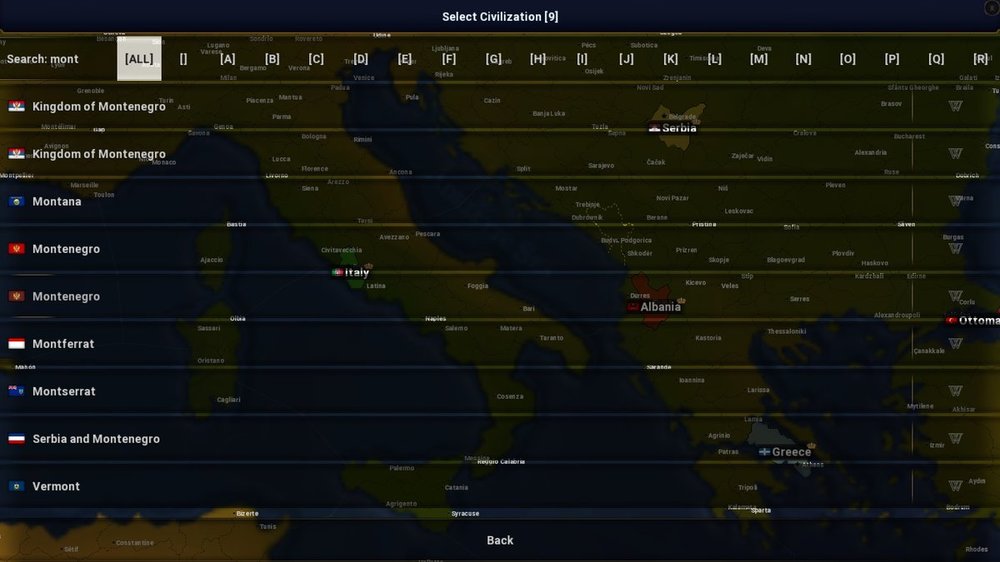
Share this post
Link to post
Share on other sites